Setup building environment
Contents
Setup building environment#
To build the code, you will need to have Intel compiler, Intel MKL, Intel MPI, and CMake.
Step 1: Connect to the server#
As we did in the Configure SSH connection section Step 3.
Step 2: Install CMake#
We require a minimum version of 3.20 for CMake.
As of Feb 2023, you can access CMake on PSU server using the following command:
module load cmake
You can also append the above command to your ~/.bashrc file so that cmake will be automatically loaded when you log in next time.
Either contact the admin to find where you can find CMake version higher than 3.20, or you can follow the install instruction for Linux and install cmake for you locally.
You should be able to find CMake in most of the distribution’s official package manager. Such on Ubuntu, you can install CMake with sudo apt install cmake.
Step 3: Setup Intel environment#
As of Feb 2023, you can access the Intel compilers, Intel MPI, and Intel MKL on the PSU server using the following command:
module load intel impi mkl
You can also append the above command to your ~/.bashrc file so that these intel packages will be automatically loaded when you log in next time.
Contact the admin to learn how you can access the Intel compiler, Intel MKL, Intel MPI.
Install the Intel oneAPI’s basekti and hpckit. Choose your machine’s package manager and follow its instructions.
Step 4: Configure git#
You can clone a repository using https link or ssh link. For beginners, I recommend using the ssh approach.
You may follow the commands below for a simpler version, or follow steps on this github doc page for detailed instructions.
Generate a new SSH key, substituting in your GitHub email address.
ssh-keygen -t ed25519 -C "[email protected]"
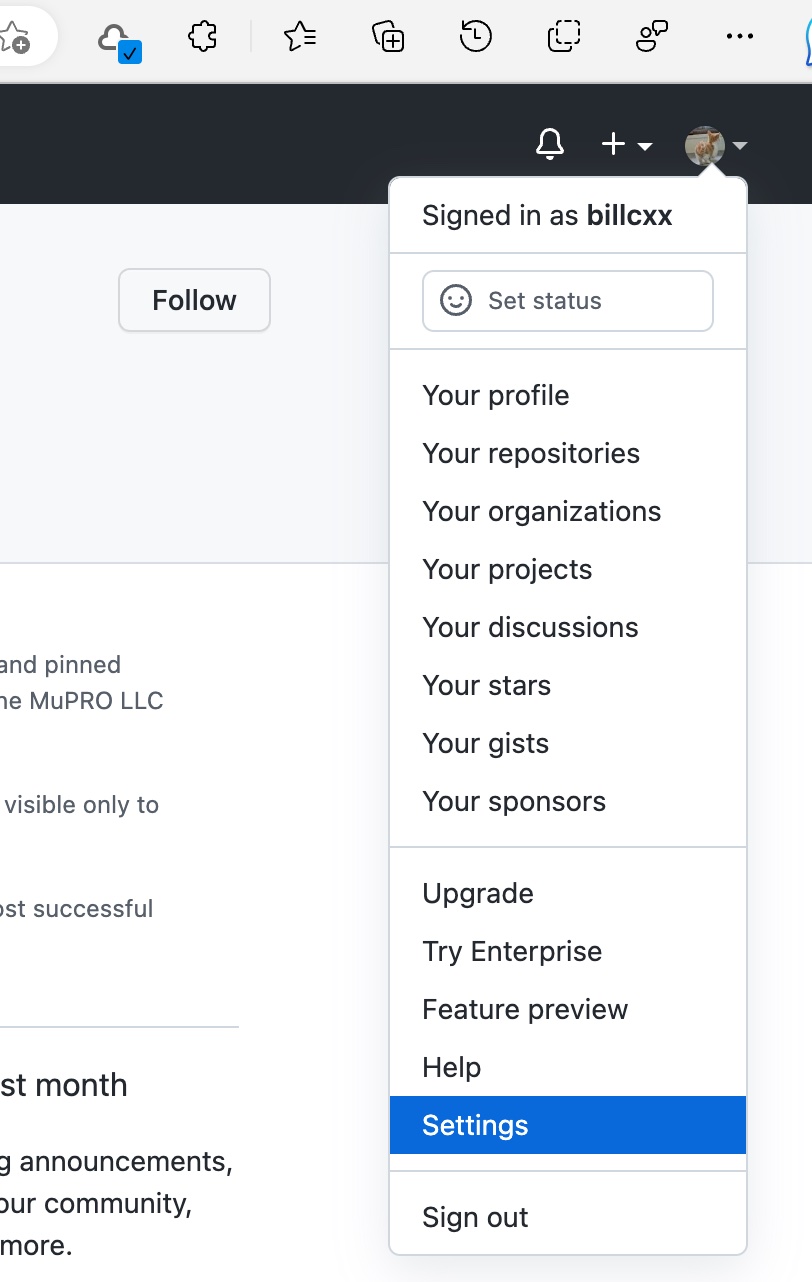
Go to your user’s Settings
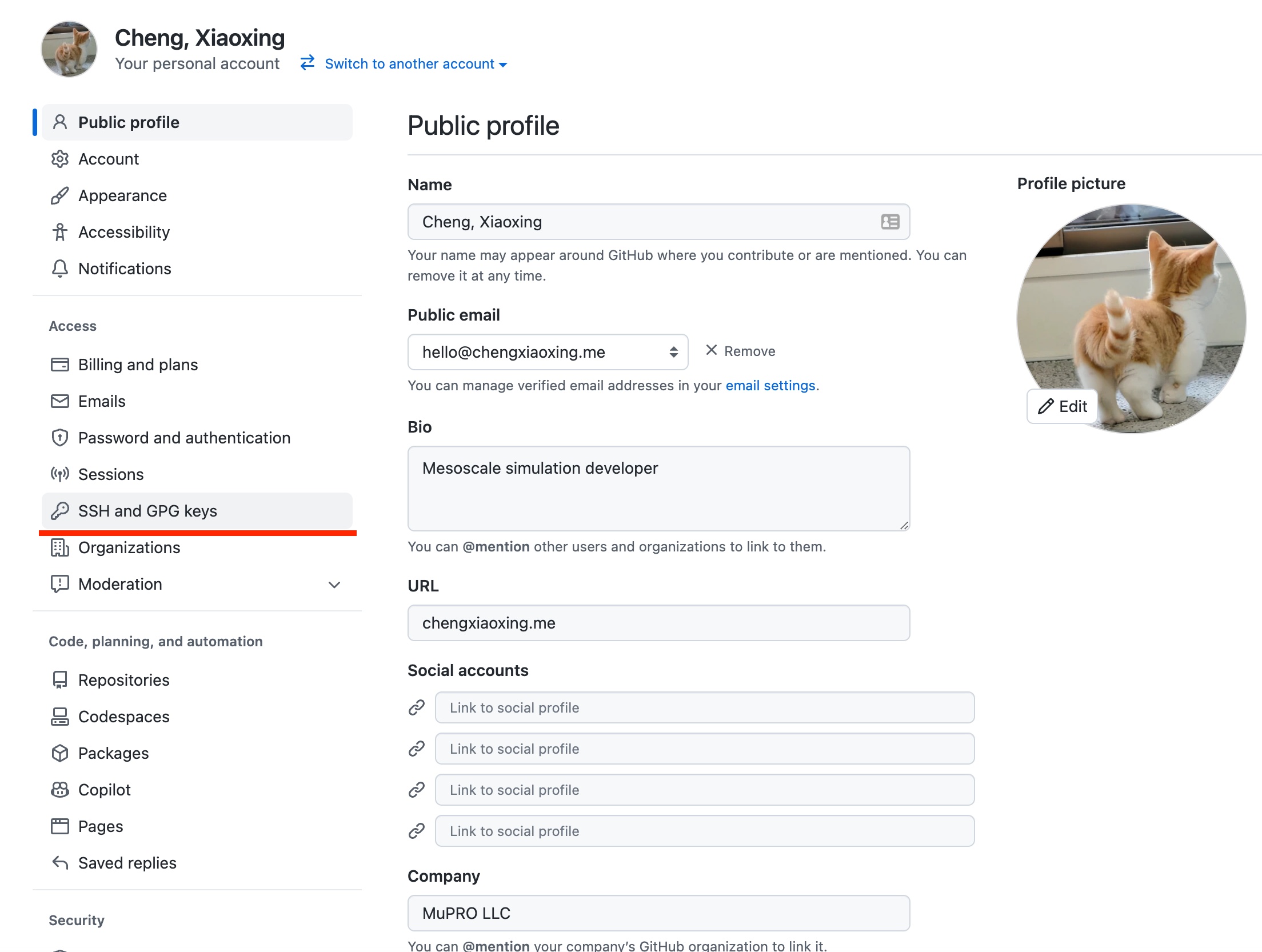
Click SSH and GPG keys
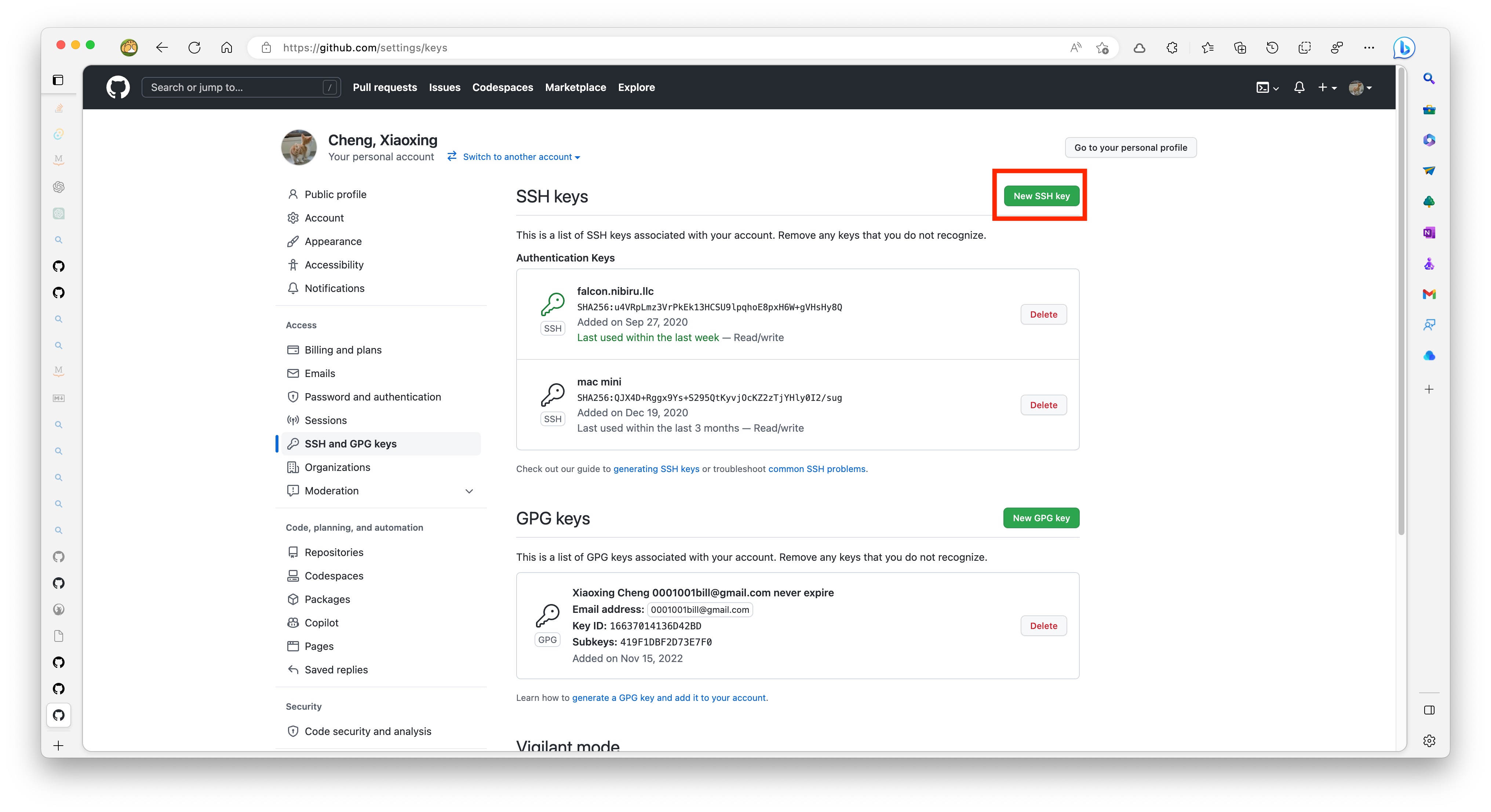
Click New SSH Key button
Copy the SSH public key to your clipboard. If you use a different name for the generate key, then change the following command accordingly. Then select and copy the contents of the id_ed25519.pub file displayed in the terminal to your clipboard.
cat ~/.ssh/id_ed25519.pub
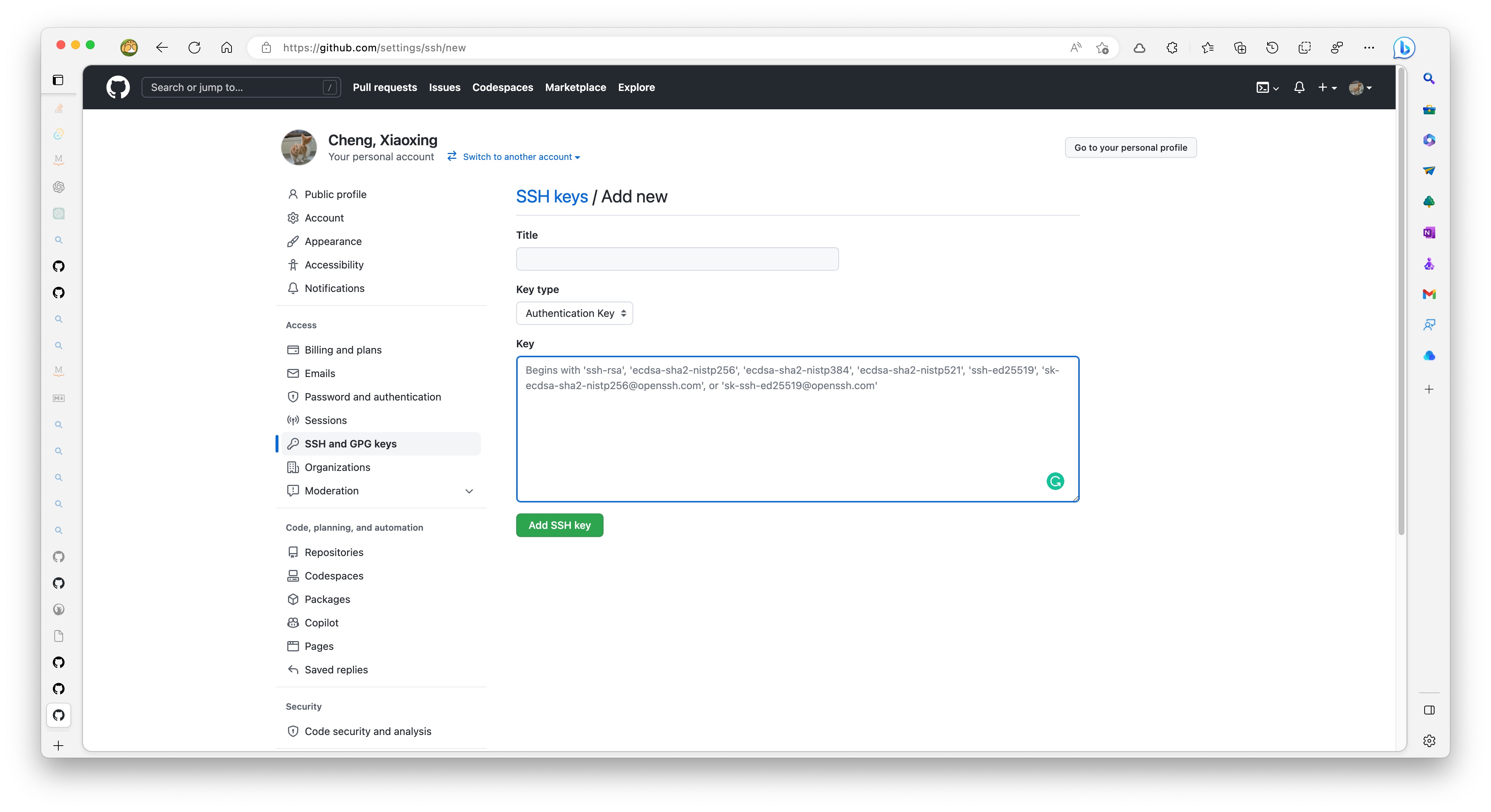
Paste the SSH public key to the Key text area and give it a title, such as aci, then click Add SSH Key
Verify your new ssh key with the following command
ssh -T git@github.com. If successful, now you will be able to clone the source code from Github.