Commit and publish your changes
Commit and publish your changes#
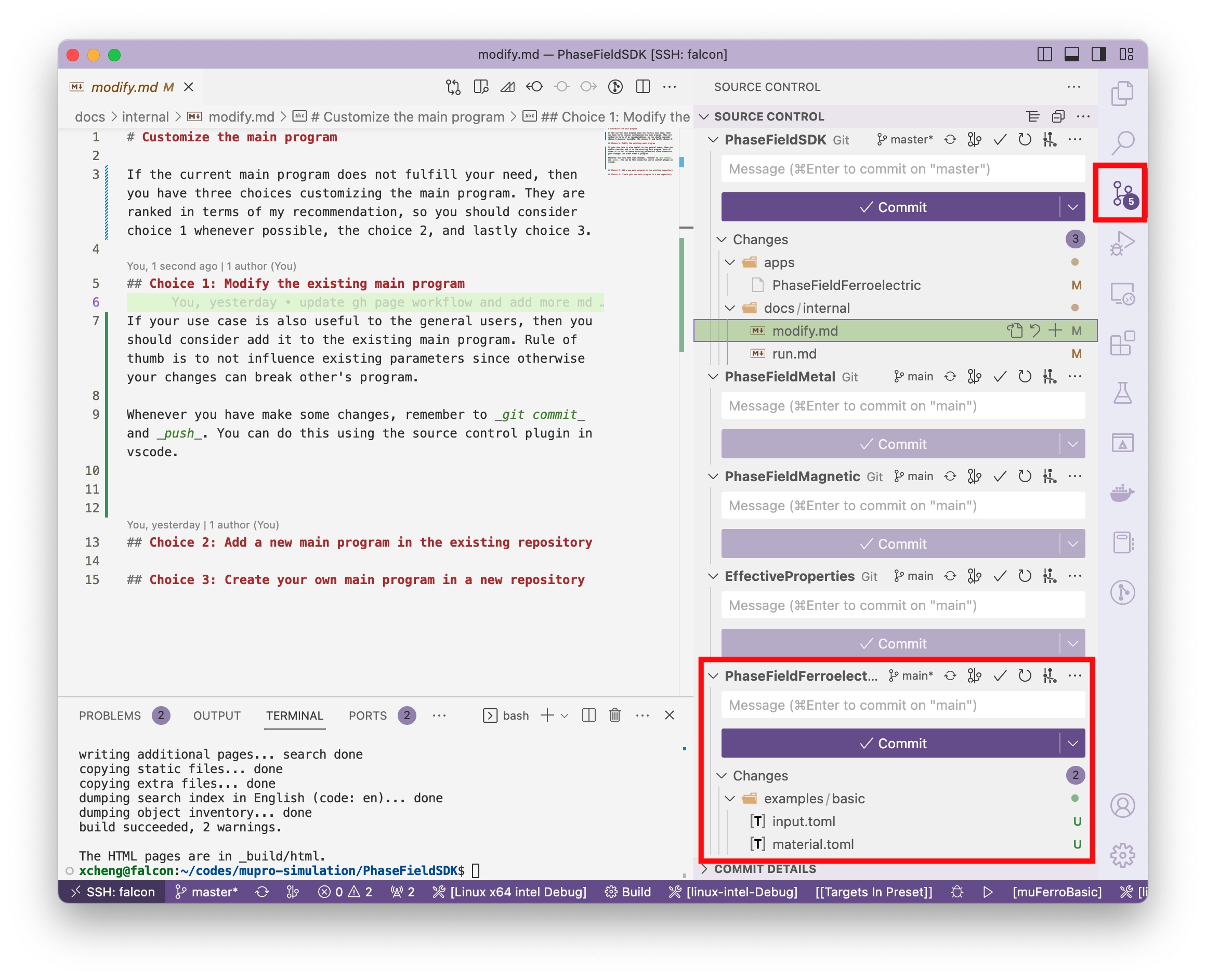
Whenever you have make any changes to the library or the main program, remember to git commit and push. You can do this using the source control plugin in vscode.
Click the source control icon on the vertical toolbar
Find the correct git repository to git. Since we have several submodules in our PhaseFieldSDK repository, you will see more than one section in source control panel. In the example below, we are trying to commit to the ferroelectric submodule.
Type a short message describing what you have changed and click Commit button.
Then the Commit button will become a Sync button, click and sync your local changes to the remote git server. Now you should be able to see you changes online in the Github repository.